
 Kia Sportage: Cruise Control (CC). Cruise Control operation
 |
|
Cruise Control allows the Kia Sportage to maintain a selected speed above 30 km/h (20 mph) without requiring you to keep your foot on the accelerator pedal.
Cruise Control operation
Setting speed
 |
-
Accelerate to the speed you want to maintain. The selected speed must be above 30 km/h (20 mph).
-
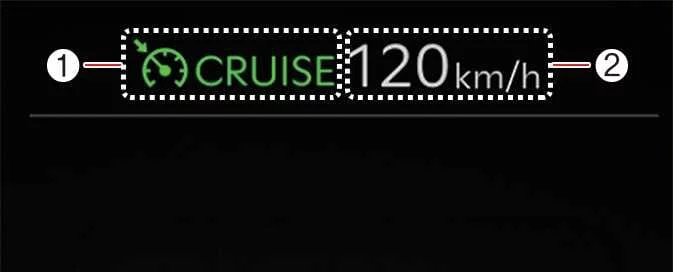
At that speed, press the Driving Assist button. The set speed and Cruise indicator (
 ) appear on the instrument cluster.
 -
Release the accelerator pedal. Cruise Control will maintain the set speed without continued pressure on the accelerator.
NOTE
-
The vehicle’s speed may vary slightly while travelling uphill or downhill.
-
The Driving Assist button symbol may differ depending on the vehicle’s equipment.
Increasing set speed
 |
-
Move the (+) switch up briefly and release it. The set speed increases in 1 km/h (1 mph) increments.
-
To raise the set speed more quickly, move the (+) switch up and hold it. The speed changes in 10 km/h increments, or in 5 mph increments when the instrument cluster is set to mph.
The maximum set speed is 200 km/h (120 mph).
Decreasing set speed
 |
-
Move the (−) switch down briefly and release it to reduce the set speed by 1 km/h. To lower the speed more quickly, move and hold the (−) switch. The set speed then changes in 10 km/h increments, or in 5 mph increments when the instrument cluster is set to mph.
-
The minimum set speed is 30 km/h (20 mph).
Accelerating temporarily
To increase speed temporarily while Cruise Control is active, press the accelerator pedal.
Release the accelerator to return to the previously set speed.
If you move the (+) or (−) switch while travelling at the temporarily increased speed, the current speed becomes the new set speed.
Temporarily pausing Cruise Control
 |
Cruise Control pauses in any of the following situations:
-
You press the brake pedal.
-
You press the pause switch (
 ).
). -
You shift the gear to N (Neutral).
-
Your speed falls below approximately 30 km/h (20 mph).
-
Electronic Stability Control (ESC) intervenes.
The set speed disappears, but the Cruise indicator ( ) remains illuminated.
NOTE
If Cruise Control pauses for a reason not listed above, have the Kia Sportage inspected by a qualified workshop. Kia recommends contacting an authorised Kia dealer or service partner.
Resuming Cruise Control
 |
To resume Cruise Control, use the (+), (−) or resume switch ( ).
).
Move the (+) switch up or the (−) switch down to set Cruise Control to the current speed shown on the instrument cluster.
Press the resume switch ( ) to return to the previous set
speed.
) to return to the previous set
speed.
The vehicle must be travelling above 30 km/h (20 mph) for Cruise Control to resume.
WARNING
Check the traffic and road conditions before pressing the resume switch ( ). Resuming the previous setting
may cause the vehicle’s speed to increase or decrease sharply (
). Resuming the previous setting
may cause the vehicle’s speed to increase or decrease sharply ( ).
).
Turning off Cruise Control
 |
Press the Driving Assist button to switch Cruise Control off. The Cruise indicator ( ) goes out.
When you are not using Cruise Control, press the Driving Assist button to turn the function off.
NOTE
If the Kia Sportage is equipped with Manual Speed Limit Assist, press and hold the Driving Assist button to switch Cruise Control off. Manual Speed Limit Assist will then switch on.
WARNING
Follow these precautions whenever you use Cruise Control:
-
Set a speed below the applicable speed limit in your country or region.
-
Switch Cruise Control off when it is not in use to prevent an unintended speed setting. Check that the Cruise indicator (
 ) is not
illuminated.
) is not
illuminated. -
Cruise Control does not replace safe, attentive driving. The driver remains responsible for controlling the vehicle and responding to unexpected situations.
-
Drive cautiously and stay alert to changing road conditions at all times.
-
Do not use Cruise Control when maintaining a constant speed may be unsafe, including:
-
In heavy traffic or when traffic conditions make it difficult to maintain a steady speed.
-
On roads covered with rain, ice or snow.
-
On hilly or winding roads.
-
In areas exposed to strong winds.
-
When visibility is limited by conditions such as fog, snow, rain or a sandstorm.
-
 Forward Attention Warning malfunction and limitations
 Smart Cruise Control (SCC)
See also:
Clearing the vehicle restart restriction
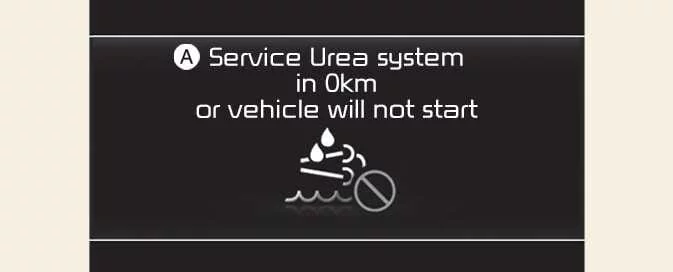
No restart
Low urea solution level
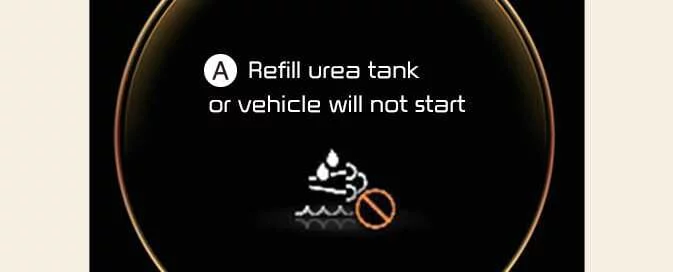
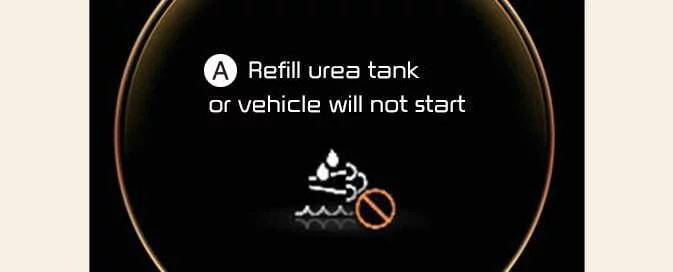
A: Refill the urea tank or the vehicle will not start
...
Intake Actuator: Components and Components Location
Component Location
...
Troubleshooting
Engine Overheat Troubleshooting
Inspection RemedyVisual inspectionInspect for shortage of coolant in reservoir tank .Reinspect after replenishing coolant.Inspect for coolant pollution after remo ...
Categories
- Home
- Kia Sportage NQ5 (2022-2026) Owner's Manual
- Kia Sportage QL (2015-2019) Owner's Manual
- Kia Sportage QL (2015-2019) Service Manual
- Kia Sportage SL 2010-2016 Owner's Manual
- Kia Sportage SL 2010-2016 Service Manual
