
 Kia Sportage: Driver Attention Warning malfunction and limitations
Driver Attention Warning malfunction
 |
A: Check Driver Assistance system |
If DAW detects a system fault, a warning message appears on the instrument cluster for several seconds. The Master
Warning Light ( ) and the Inattentive Warning Light (
 ) also illuminate.
If this occurs, have DAW inspected by a qualified workshop. Kia recommends contacting an authorised Kia dealer or service partner.
Driver Attention Warning disabled
 |
A: Driver Assistance system limited. Camera obscured. |
Snow, rain or other foreign material covering the windscreen in front of the camera, the front radar cover, the bumper or a sensor can reduce detection performance and temporarily limit or disable DAW.
If this happens, a warning message appears on the instrument cluster along with the yellow Inattentive Warning Light
( ) and the
Master Warning Light (
) and the
Master Warning Light ( ).
).
DAW should operate normally once the snow, rain or other material has been cleared.
If DAW still does not work correctly after the obstruction has been removed, including any trailer or carrier attached near the rear bumper, Kia recommends having the system inspected by an authorised Kia dealer or service partner.
WARNING
-
DAW may not operate correctly even if no warning message or indicator is temporarily visible on the instrument cluster.
-
DAW may not work correctly if there is nothing for the system to detect, such as in open terrain, or if a detecting sensor is covered by foreign material after the vehicle is switched on.
Limitations of Driver Attention Warning
Driver Attention Warning (DAW) may not assess the driver’s attention accurately in some situations, including:
-
The Kia Sportage is being driven aggressively.
-
The vehicle is deliberately crossing lane markings frequently.
-
A driver assistance function, such as Lane Keeping Assist, is controlling the vehicle.
-
Lane markings are faded, blurred or missing.
Leading Vehicle Departure Alert function
-
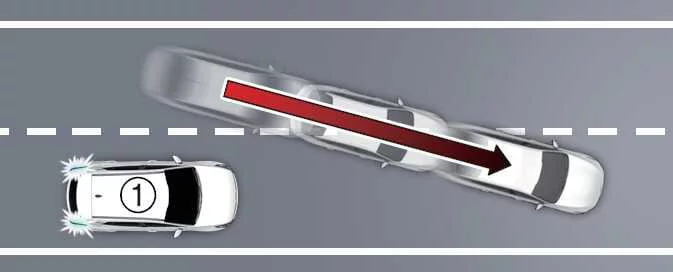
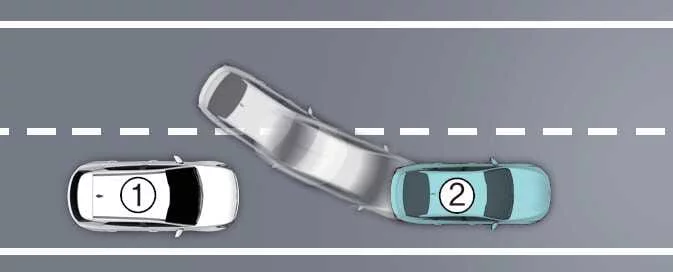
When another vehicle cuts in
-
Your vehicle
-
Vehicle ahead
If another vehicle moves into the space in front of the Kia Sportage, Leading Vehicle Departure Alert may not operate as expected.
-
-
When the vehicle ahead makes a sharp turn
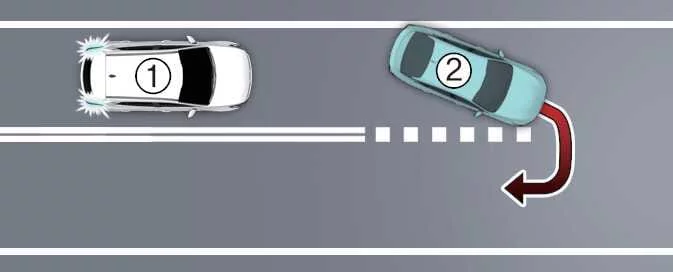
-
Your vehicle
-
Vehicle ahead
If the vehicle ahead makes a sharp manoeuvre, such as turning left or right or making a U-turn, Leading Vehicle Departure Alert may not work correctly.
-
-
When the vehicle ahead moves off abruptly
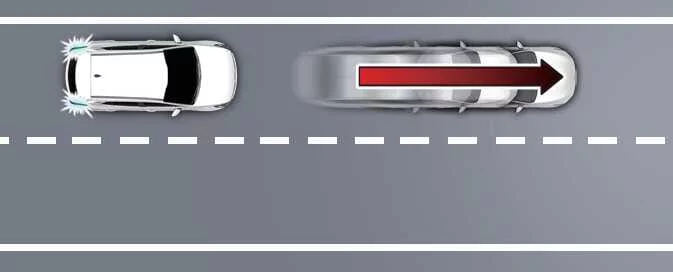
If the vehicle in front moves off suddenly, Leading Vehicle Departure Alert may not respond as expected.
-
When a pedestrian or bicycle is between your vehicle and the vehicle ahead
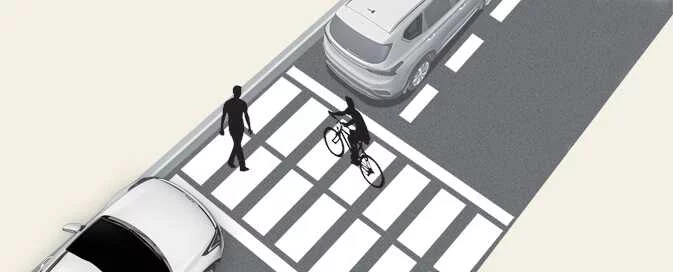
If a pedestrian or bicycle is between the Kia Sportage and the vehicle ahead, Leading Vehicle Departure Alert may not operate correctly.
-
In a car park
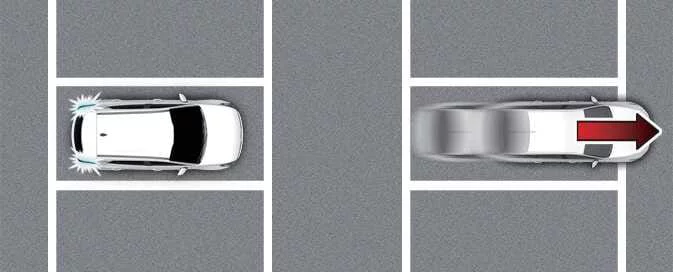
In a car park, the system may interpret a parked vehicle moving away as the vehicle ahead departing from a stop and issue an alert.
-
At a tollgate or intersection
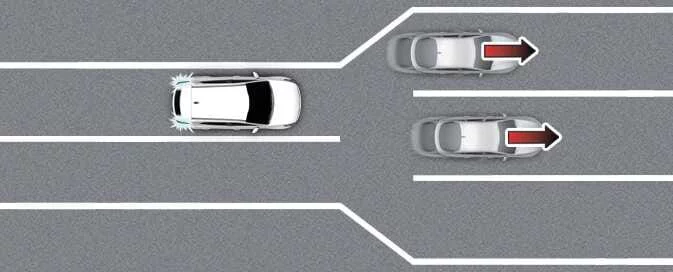
Leading Vehicle Departure Alert may not work correctly at a busy tollgate or intersection, or where lanes frequently merge or divide.
WARNING
DAW may be unavailable for approximately 15 seconds after the vehicle is started while the front view camera initialises.
NOTE
For precautions concerning the front view camera, refer to “Forward Collision-Avoidance Assist (FCA) (Sensor Fusion)”.
 Driver Attention Warning operation
 Forward Attention Warning (FAW)
See also:
Side Impact Sensor (SIS): Components and Components Location
Components
...
Automatic climate control system
1.Turn the ignition switch to the ON position.
2.Select the defroster position pressing the defroster button ().
3.While pressing the air conditioning button (A/C), press the air intake control
...
Front Seat Belt: Repair procedures
Replacement
Front Seat Belt Replacement
•
When installing the belt, make sure not to damaged the pretensioner.
1.
Remove the following items first :
...
Categories
- Home
- Kia Sportage NQ5 (2022-2026) Owner's Manual
- Kia Sportage QL (2015-2019) Owner's Manual
- Kia Sportage QL (2015-2019) Service Manual
- Kia Sportage SL 2010-2016 Owner's Manual
- Kia Sportage SL 2010-2016 Service Manual
